ZeroBot CAPTCHA
Your complete guide to setup, activation, and customization.
What is ZeroBot CAPTCHA?
ZeroBot CAPTCHA is a smart slider-based protection system that helps prevent bots from accessing your links. It verifies visitors in real-time with over 99% accuracy to ensure human-only interactions.
Activation
To activate the CAPTCHA in your ZeroBot script, use the variable $captcha and set
it to true.
Once enabled, CAPTCHA will appear automatically on your protected links. However, you can also customize its logo and appearance directly from your dashboard.
Getting Started
Once CAPTCHA is activated in your ZeroBot script, visitors will see a slider verification before proceeding.
By default, the CAPTCHA uses the official ZeroBot logo — but you can easily replace it with your own branding.
Here’s how to do it:
- Set the variable
$captcha = true;inside your ZeroBot script. - Go to your dashboard → Captcha Customization.
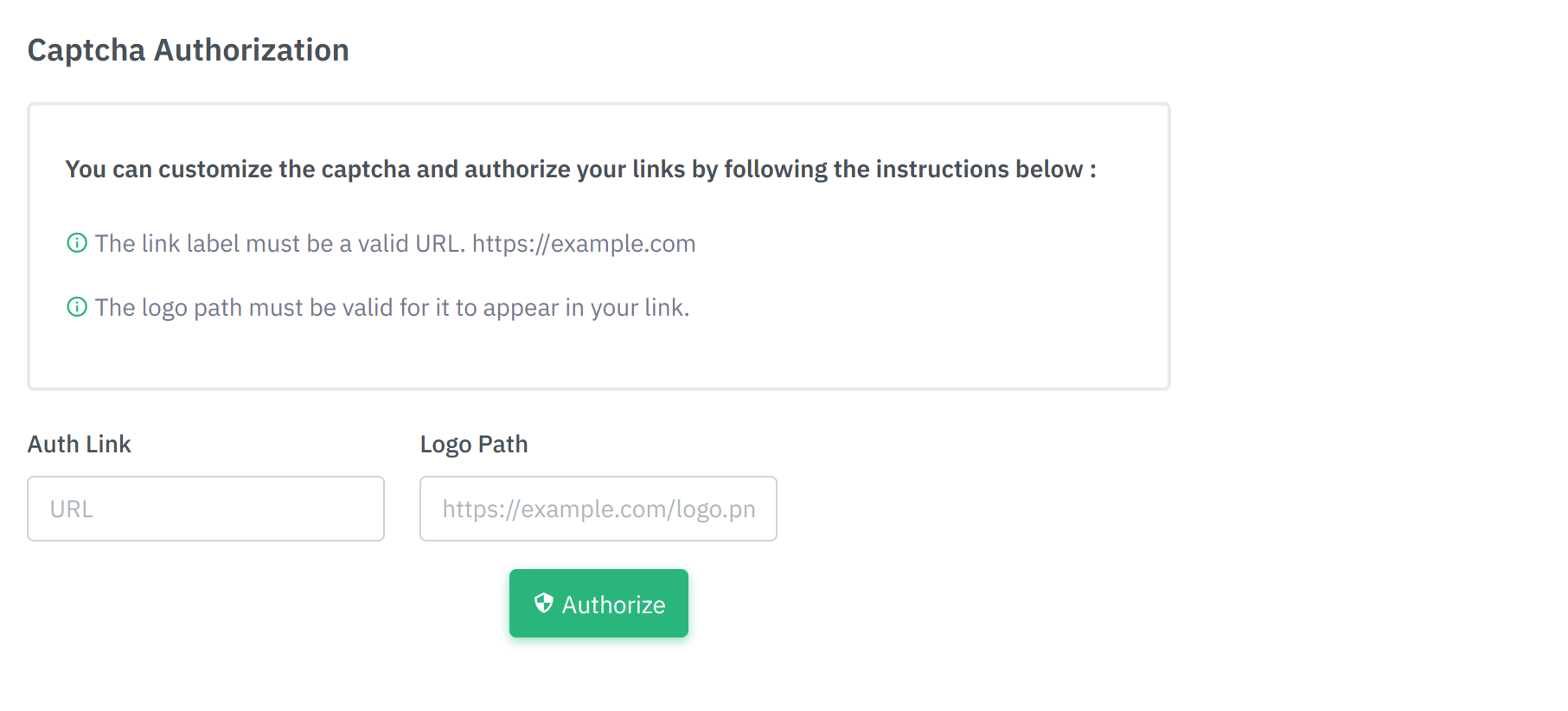
In the form fields, specify:
- The image link (logo URL) you want to display on your CAPTCHA.
- Your redirect link for successful human verification.
Click Authorize to apply your changes.
Final Result
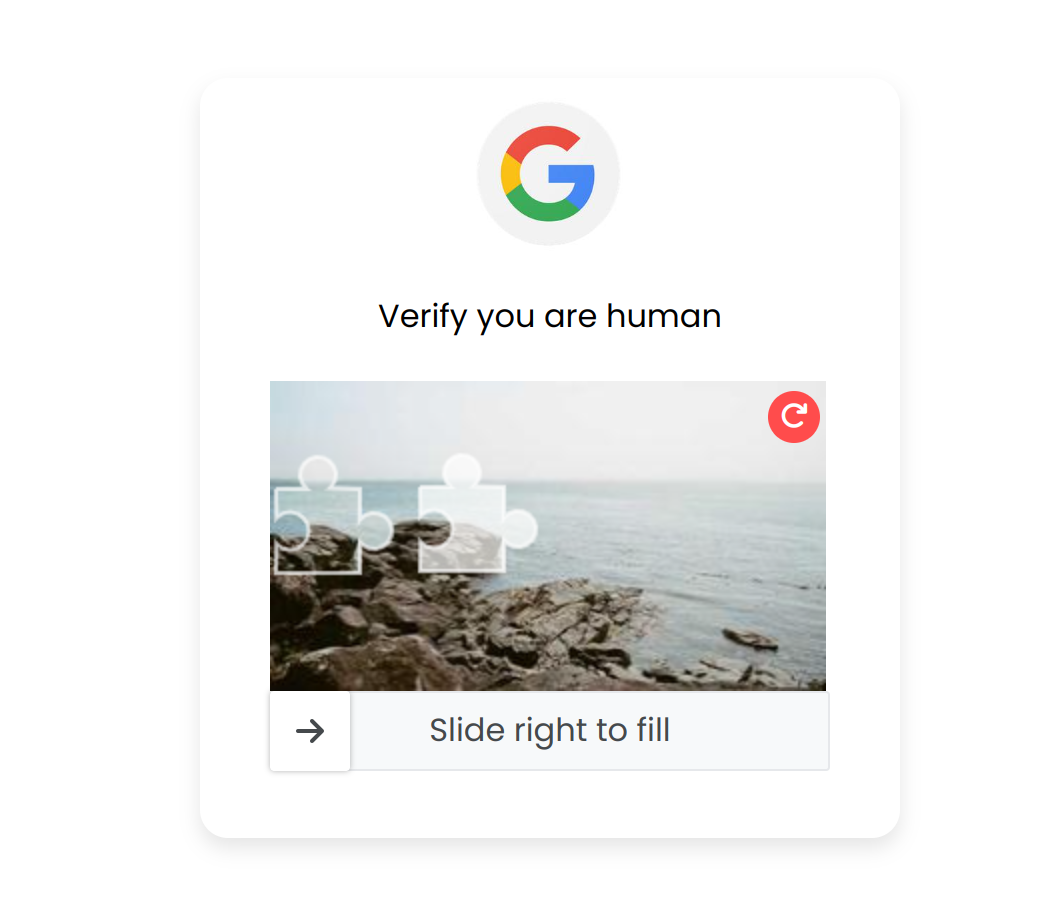
As shown above, the CAPTCHA now displays your selected logo directly on your protected link.
Traffic Manager
Once the CAPTCHA is configured with your logo, you can track its performance in real-time using
the Captcha Statistics section of your dashboard.
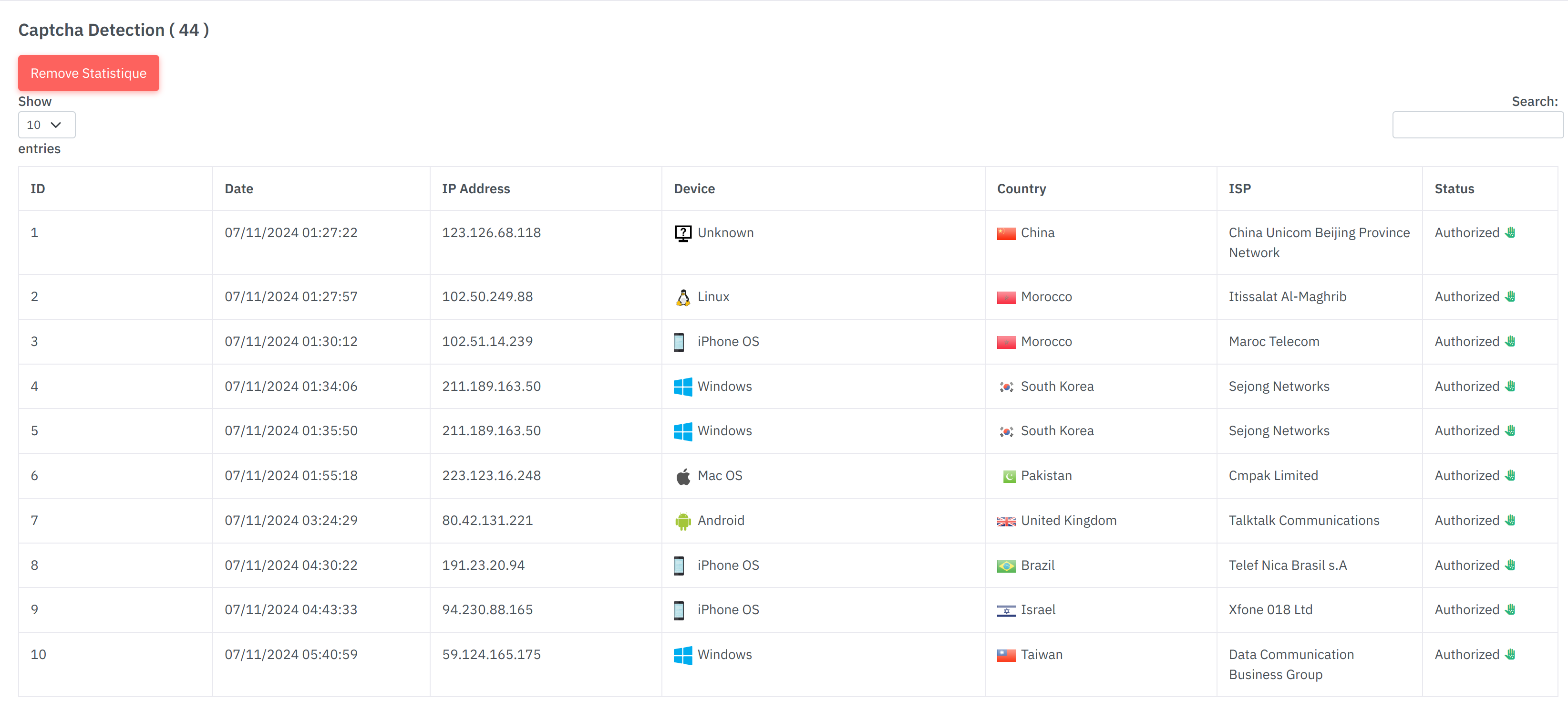
This section helps you monitor verified visitors, analyze traffic sources, and detect failed verifications.
Thank You
Thank you for choosing ZeroBot! We appreciate your trust and commitment to a safer, smarter, and more private online experience.
If you need help, our support team is always ready to assist — just reach out via Telegram or our support center.